
Forking rules
This is a custom fork of nektos/act, for the purpose of serving act_runner.
It cannot be used as command line tool anymore, but only as a library.
It's a soft fork, which means that it will track the latest release of nektos/act.
Branches:
main: default branch, contains custom changes, based on the latest release(not the latest of the master branch) of nektos/act.nektos/master: mirror for the master branch of nektos/act.
Tags:
nektos/vX.Y.Z: mirror forvX.Y.Zof nektos/act.vX.YZ.*: based onnektos/vX.Y.Z, contains custom changes.- Examples:
nektos/v0.2.23->v0.223.*nektos/v0.3.1->v0.301.*, notv0.31.*nektos/v0.10.1->v0.1001.*, notv0.101.*nektos/v0.3.100-> notv0.3100.*
- Examples:
Gitea-specific changes
Matrix strategy: scalar values and template expressions
This fork extends the matrix strategy parser workflow.go to accept bare scalar YAML values in addition to arrays, and to handle unevaluated template expressions gracefully.
Scalar wrapping
A matrix key written without brackets is automatically promoted to a single-element array:
strategy:
  matrix:
    go-version: 1.21        # treated as [1.21]
    os: ubuntu-latest       # treated as ["ubuntu-latest"]
Note
Previously such a value caused the matrix decoding to fail and the job ran without a matrix context (
matrix.*variables were undefined). Now the job runs one matrix iteration with the scalar as the value. Existing workflows that used scalars by accident may see a difference in which matrix variables are populated.
Template expression support (${{ fromJSON(...) }})
Template expressions in the matrix are resolved by EvaluateYamlNode
(pkg/runner/runner.go) before Matrix() is called. When successful, the
expression is replaced by a proper YAML sequence and the matrix expands
normally.
If the expression cannot be resolved (e.g., the necessary context is not yet available), the literal string is wrapped as a one-element array, and the job runs once with the unexpanded string as the matrix value (graceful degradation).

Overview 



"Think globally,
actlocally"
Run your GitHub Actions locally! Why would you want to do this? Two reasons:
- Fast Feedback - Rather than having to commit/push every time you want to test out the changes you are making to your
.github/workflows/files (or for any changes to embedded GitHub actions), you can useactto run the actions locally. The environment variables and filesystem are all configured to match what GitHub provides. - Local Task Runner - I love make. However, I also hate repeating myself. With
act, you can use the GitHub Actions defined in your.github/workflows/to replace yourMakefile!
How Does It Work?
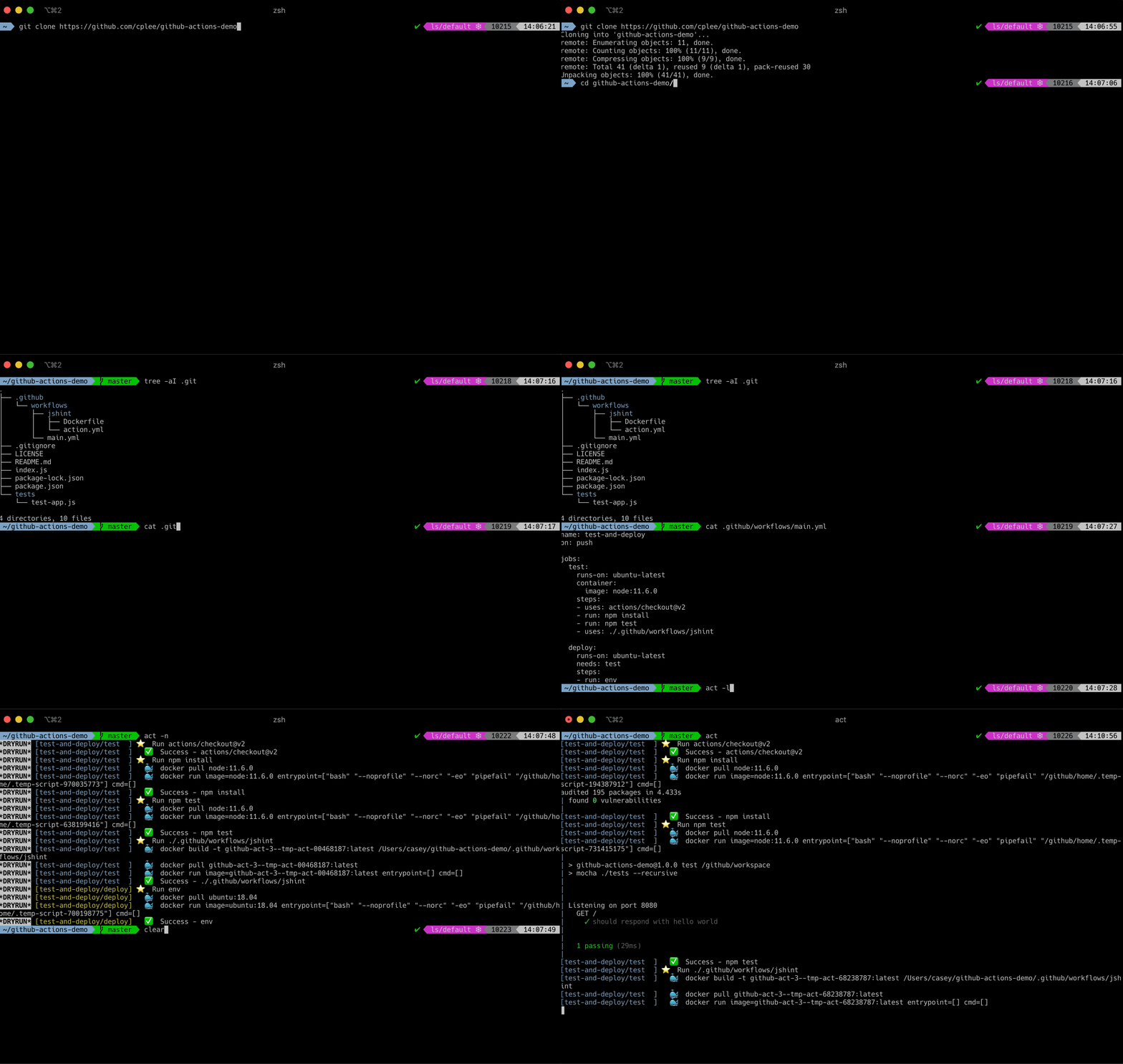
When you run act it reads in your GitHub Actions from .github/workflows/ and determines the set of actions that need to be run. It uses the Docker API to either pull or build the necessary images, as defined in your workflow files and finally determines the execution path based on the dependencies that were defined. Once it has the execution path, it then uses the Docker API to run containers for each action based on the images prepared earlier. The environment variables and filesystem are all configured to match what GitHub provides.
Let's see it in action with a sample repo!
Act User Guide
Please look at the act user guide for more documentation.
Support
Need help? Ask on Gitter!
Contributing
Want to contribute to act? Awesome! Check out the contributing guidelines to get involved.
Manually building from source
- Install Go tools 1.20+ - (https://golang.org/doc/install)
- Clone this repo
git clone git@github.com:nektos/act.git - Run unit tests with
make test - Build and install:
make install